Previsualization in Film: A Practical Guide for VFX Production

How does previsualization turn an ambitious scene into a shootable plan before the production commits to sets, locations, stunts, cameras, and visual effects?
Previsualization in film uses temporary animation, virtual cameras, edited sequences, and technical planning to explore a scene before principal photography. It lets directors, cinematographers, producers, stunt teams, production designers, and VFX departments make decisions while changes are still relatively fast and inexpensive.
This guide explains what previs is, when it adds value, how it connects with script breakdowns and VFX bids, and how techvis, virtual production, on-set data, and postvis extend the process. It also shows what a useful previs package should deliver to the crew.
Table of Contents
What Previsualization in Film Actually Is

Previs is a moving blueprint for a scene. Artists create simplified characters, environments, props, cameras, and effects, then edit them into a sequence with approximate timing and sound. The images may be rough, but the decisions should be clear: where the camera is, what the audience sees, how action unfolds, and which elements must be captured or created later.
Storyboards communicate composition through selected frames. Previs adds movement, lens choices, duration, spatial continuity, and editorial rhythm. It is especially useful when a scene involves many departments or when the final image cannot be understood from the live-action set alone.
Previs is not a promise that every frame must be copied. It is a decision-making tool. Directors can preserve room for performance and discovery while using previs to solve scale, safety, timing, and VFX dependencies. The level of detail should match the questions the production needs to answer.
The process starts from a structured VFX breakdown and shot plan. The breakdown identifies the moments needing effects; previs tests how those moments can work as images, actions, and editable shots.
Choose the Right Scenes for Previs
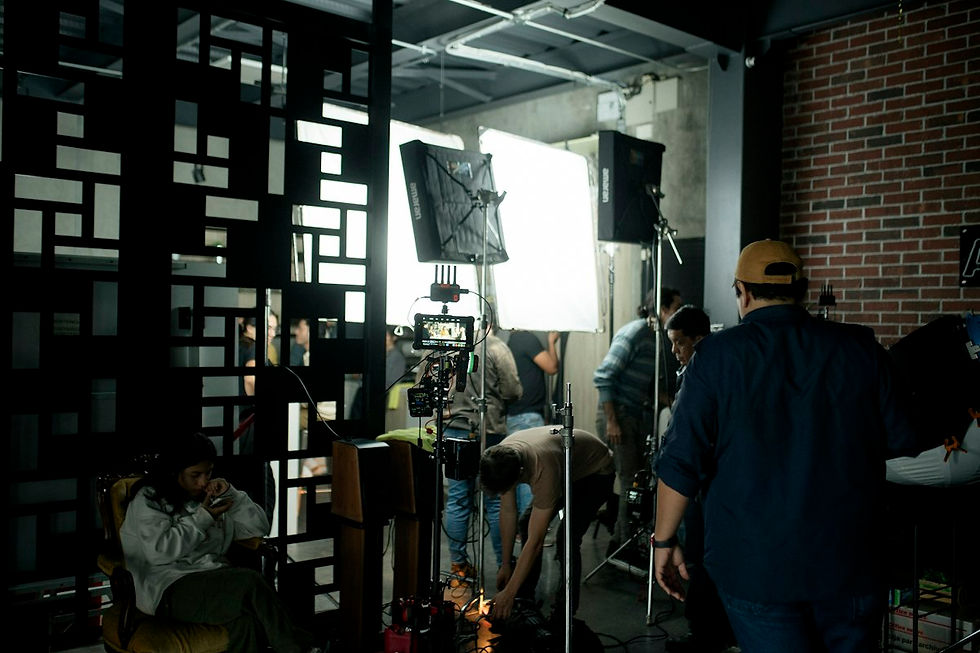
Previs creates the most value when a scene is expensive, technically dependent, dangerous, spatially complex, or difficult to describe. Typical examples include action sequences, creatures, crowds, destruction, vehicles, extensive set extensions, digital environments, motion-control work, and shots designed for an LED volume.
A simple dialogue scene may not need animated previs. A wide shot that combines a partial set, a crane move, stunt performers, a digital creature, and an environment extension probably does. Producers should compare the cost of planning with the risk of discovering the problem during the shoot or in post-production.
Define the questions before work begins. The team may need to test camera coverage, screen direction, stunt timing, set dimensions, eyelines, lens availability, stage size, lighting direction, or the division between practical and digital work. Clear questions prevent the previs from becoming an attractive animation with little production value.
Scene selection also depends on the intended effect. The guide to practical effects versus visual effects helps teams decide which elements should exist on set, which belong in post, and which hybrid approach the previs must represent.
Build a Previs Workflow From Script to Sequence

Begin with the latest approved script, director’s intent, references, art direction, location information, and production constraints. Break the scene into beats and identify the essential story change in each beat. The previs team then creates a rough spatial layout and verifies that characters, cameras, and action can coexist.
Virtual cameras use approximate sensor, lens, height, and movement data. Even when the environment is simplified, realistic camera behavior makes the results more useful. Artists block action and timing, test alternative coverage, and assemble the shots in editorial. Temporary dialogue, sound effects, and music help reveal pacing.
Review broad choices first. Approve the scene structure, geography, and coverage before refining animation or effects. Late changes remain possible, but repeated work is reduced when the team agrees on the sequence in stages. Version names and change notes should identify exactly what each review is testing.
The workflow should anticipate the complete VFX post-production process. Previs shot identifiers, handles, camera data, asset names, and editorial decisions can become the foundation for turnover rather than being discarded after approval.
Use Techvis to Prepare the Physical Shoot

Techvis translates creative previs into practical camera and stage information. It can show camera positions, lenses, heights, angles, movement paths, subject distances, field of view, stage boundaries, sun direction, and the dimensions of partial sets or screens. Departments use this data to assess feasibility.
The cinematography team can evaluate whether a move suits the available crane, dolly, drone, motion-control rig, or handheld setup. Stunt and special-effects teams can study timing and safety zones. Production design can see which set areas must be built and which will never appear on camera.
For tracking-heavy shots, techvis helps define markers, witness cameras, reference photography, lens grids, survey data, and clean plates. It also clarifies eyelines for digital characters and the space required for performers, rigs, and interactive lighting.
Good planning supports the camera solve described in the VFX tracking guide. Accurate on-set information lets post-production recreate the camera and place CG elements with the correct perspective, scale, and movement.
Connect Previs With VFX Bids and Production Design

A script line can describe an effect without showing its actual workload. Previs reveals shot count, duration, framing, camera movement, visible assets, interactions, and likely complexity. Vendors can bid a defined sequence more accurately than a broad idea, while producers can compare options using the same creative assumptions.
The sequence also helps identify shared assets. One environment, vehicle, creature, or digital double may appear across many shots. Asset work can be budgeted separately from shot work, and the production can decide where detail is necessary. Reusable assets may justify more upfront investment.
Production design uses previs to coordinate physical and digital construction. A partial set should cover the views, shadows, contact points, reflections, and performer interactions needed on camera. Everything beyond that boundary can be extended digitally when the plan supports a believable join.
Budget and schedule remain connected. The guides to VFX cost and VFX production timelines explain why shot complexity, asset reuse, approvals, and change timing matter. Previs makes those variables visible earlier.
Carry the Plan Through Virtual Production and Postvis

Virtual production can place previs assets and camera ideas into a real-time engine. Directors and cinematographers can explore the environment, adjust staging, and test lenses interactively. Approved elements may continue into LED-wall playback, real-time scouting, or later asset development.
For LED stages, previs and techvis help evaluate screen coverage, camera frustums, stage geometry, parallax, tracking volume, lighting, and content resolution. The team can identify shots that fit the stage and shots that require a different method before the crew arrives.
The full virtual production VFX workflow connects early planning with real-time environments, on-set capture, and final compositing. Previs data should move through that chain with clear ownership and technical checks.
After photography, postvis places temporary effects, creatures, environments, screens, or cleanup into the edited plates. It helps editorial judge timing and lets stakeholders review the intended shot before final work is complete. Postvis updates the plan using the footage that was actually captured.
Review, Approve and Deliver Useful Previs

A previs review should name the decision required. One session may focus on story and coverage; another on stunts, cameras, set boundaries, or VFX scope. When every department comments on every detail at once, revisions become noisy and the sequence loses its purpose.
Keep one approved version and a visible decision log. Track shot additions, removals, timing changes, asset assumptions, unresolved risks, and dependencies. When the script, edit, location, or production method changes, update the affected shots and notify the departments that rely on them.
Deliverables can include the edited previs movie, individual shots with handles, reference frames, camera files, lens information, scene layouts, asset lists, techvis diagrams, shot notes, and version history. Confirm software, units, frame rate, color assumptions, and naming before files enter production.
A VFX supervisor helps keep the chain coherent from planning through final. The guide to film VFX supervision explains how creative intent, on-set evidence, vendor communication, reviews, and final delivery remain connected.
Frequently Asked Questions
What is previsualization in film?
Previsualization is a temporary animated version of a scene used to test storytelling, action, cameras, timing, and production requirements before filming or final VFX.
How is previs different from storyboards?
Storyboards show selected compositions. Previs adds movement, duration, lenses, spatial relationships, and editorial rhythm, making it useful for technically connected sequences.
Which scenes need previs?
Action, stunts, creatures, vehicles, crowds, complex environments, virtual production, motion control, and expensive VFX shots benefit most. Simple scenes may need only boards or a shot list.
What is techvis?
Techvis converts creative previs into practical information such as camera positions, lenses, rig paths, distances, stage limits, set dimensions, and safety zones.
What is postvis?
Postvis adds temporary VFX to photographed plates after the shoot so editorial and stakeholders can judge timing and intention before final effects are complete.
Does previs limit a director’s creativity?
It should not. Previs helps solve known problems and compare ideas. Directors can still adapt to performances, locations, light, and discoveries during production.
How detailed should previs be?
Only detailed enough to answer the production questions. Camera, timing, geography, and dependencies usually matter more than polished textures or final-quality lighting.
Can previs reduce VFX costs?
It can reduce uncertainty, avoid unnecessary shots, support better bids, reveal asset reuse, and prevent expensive on-set or post-production surprises.
Who approves previs?
The director leads creative approval, while producers, cinematography, VFX, stunts, design, editorial, and other departments approve the parts affecting their work.
What files should a previs team deliver?
Typical deliverables include edited movies, shot files, camera data, layouts, reference frames, techvis diagrams, shot notes, asset lists, and a version history.
Plan the Shot Before the Expensive Decisions
Previsualization gives a production a shared visual plan before choices become locked into sets, schedules, camera days, and final VFX. Its value comes from clearer decisions, practical data, better communication, and fewer surprises across departments.
Mimic VFX supports productions from script breakdown and previs through supervision, digital environments, characters, compositing, and delivery. Explore how visual effects are made or contact Mimic VFX to plan a film, advertising, music-video, or immersive sequence.


Comments