Digital Matte Painting for VFX: A Production Guide

How can a production create an enormous cinematic world without building every mountain, city block or distant structure in full 3D?
Digital matte painting combines photography, painting, projection and 3D techniques to extend locations and create environments that support the story. Mimic VFX’s visual effects services connect environment work with tracking, asset creation, lighting, rendering and final compositing.
This guide explains where matte painting fits in a modern pipeline, how to choose between 2D, 2.5D and 3D solutions, what camera information artists need and how producers can protect realism through review and delivery.
Table of Contents
What Is Digital Matte Painting?
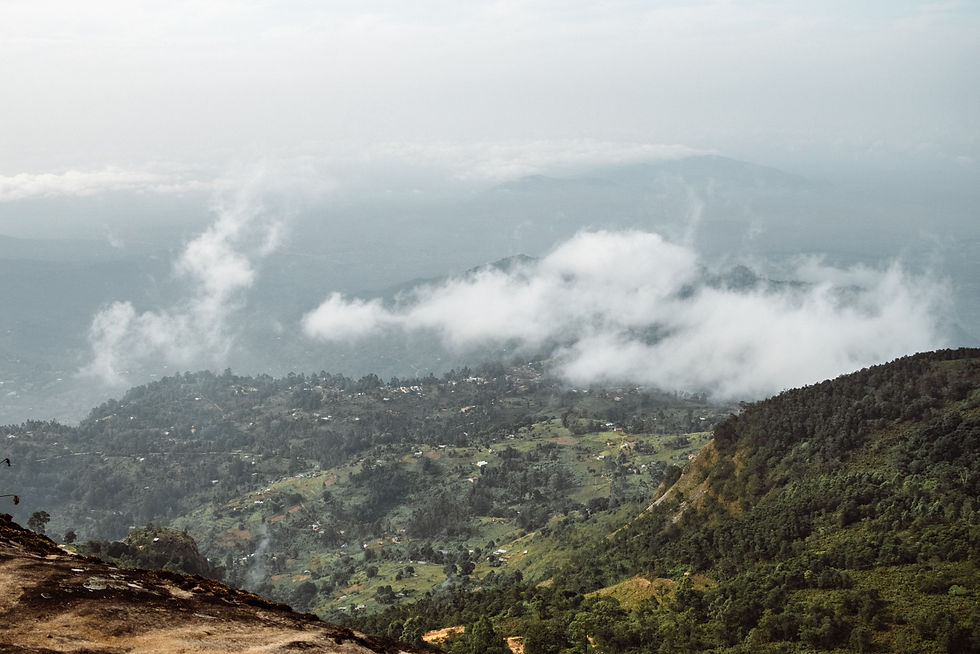
Digital matte painting creates or modifies the environment visible in a VFX shot. It can replace an unwanted skyline, extend a practical set, add distant architecture, transform a season, remove modern features or build a location that never existed. The finished image is judged by whether it belongs to the photographed scene.
The word painting can be misleading. Artists may use photography, hand-painted detail, procedural textures, 3D renders, scanned assets and generated elements. What matters is the final relationship between composition, perspective, light, atmosphere, lens behavior and motion.
A matte painting often performs the environment side of a set extension VFX. The practical set supplies contact, actors and foreground detail, while the digital environment expands scale beyond the stage, location or construction budget.
The method is efficient because distant areas do not always need complete geometry. A well-planned painting or projection can provide the visible information for one camera at high quality. The tradeoff is limited freedom: if the edit later demands a radically different angle, more geometry and reconstruction may become necessary.
Where Matte Paintings Fit in Modern VFX

Matte paintings appear in obvious fantasy worlds and invisible everyday fixes. A period drama may remove modern buildings. A thriller may enlarge a city skyline. A commercial may transform weather and architecture. A game cinematic may use painted projections behind hero characters and full 3D foreground action.
For film work, environment decisions must serve narrative scale, geography and continuity. Mimic’s film visual effects capabilities combine digital environments with creatures, digital humans, performance capture and invisible effects when a sequence needs several disciplines to share the same visual rules.
A locked camera or gentle move is ideal for a 2D solution. Moderate lateral movement may work with separated layers, camera projection and simple geometry. A flying camera, major rotation or close interaction normally needs deeper 3D construction. The camera determines the technique more than the complexity of the concept art.
Matte painting is also useful during look development and previsualization. An approved environment establishes the horizon, scale, palette, landmarks and atmosphere that other departments can follow. That shared image reduces conflicting assumptions across layout, FX, lighting and compositing.
Producers should identify whether the environment will recur. A one-shot vista may favor a camera-specific solution. A major location used across many sequences may justify a reusable 3D world with matte-painted distant detail.
Plan the Shot Before Painting the Environment

Planning starts with the script and edit. Define what the environment must communicate, how long the shot lasts, where the audience looks and which elements interact with actors or practical objects. A beautiful background can still fail if it competes with performance or changes the geography between cuts.
Create a shot-level requirement before artwork begins. The VFX breakdown guide shows how to translate story requirements into plate needs, asset work, technical tasks and bid assumptions. For matte painting, that breakdown should name the camera move, visible depth, lighting change and required output layers.
On set, capture the clean plate, lens and camera metadata, exposure notes, HDRI, gray and chrome references, location photography and measurements. A Lidar scan or photogrammetry survey can establish accurate geometry for projection, occlusion and camera validation. Shoot extra texture and sky reference when conditions permit.
Protect composition through early blocking. A rough paint-over or projection test can reveal whether the horizon, building scale and parallax support the shot. Approve those relationships before spending time on texture detail. A late camera change can invalidate hours of careful painting.
Plan for movement inside the environment. Smoke, water, traffic, birds, clouds, flags and practical light changes may need animation or FX. Identify these elements as separate layers so the final scene does not feel like a still photograph behind moving actors.
Match Camera, Perspective, Scale and Atmosphere

Perspective is the structural foundation. The matte painting must share the plate’s horizon, vanishing points, camera height and lens behavior. An architectural line that converges incorrectly can break the illusion even when the texture and color are polished.
Camera data should enter the same coordinate system used by layout and compositing. Mimic’s guide to VFX tracking and matchmove explains how a reliable camera solve gives environment artists, lighting and FX a consistent spatial foundation.
Scale comes from familiar evidence. Door sizes, floor spacing, trees, atmospheric falloff, texture frequency and the speed of parallax tell the viewer how large a structure or landscape is. A distant mountain should not carry the contrast and fine texture of a nearby rock unless the intended atmosphere supports it.
Atmospheric perspective separates depth. Contrast, saturation and sharpness generally reduce across distance, while haze inherits the color and density of the scene. Light direction and cloud cover must agree with the foreground plate. Added structures need contact with terrain, believable shadowing and a plausible relationship to weather.
Test the work through the production camera rather than a freely moving viewport. View the entire shot at playback speed and at final framing. Small projection stretches or edge breaks may be invisible on one frame but obvious in motion.
Build the Matte Painting in 2D, 2.5D or 3D

A pure 2D matte painting is efficient for a locked shot or a very small camera move. The artist builds the final view at sufficient resolution, and compositing integrates it with the plate. This approach minimizes technical overhead but provides little freedom if the camera changes.
A 2.5D setup separates foreground, middle distance, skyline and sky into layers. Artists project those elements onto cards or simple geometry through the tracked camera. The setup can create convincing parallax while preserving the speed and control of painted imagery.
Full 3D becomes useful when the camera moves through space, when architecture crosses depth layers or when lighting and reflections must respond dynamically. Mimic’s comparison of real-time and offline 3D rendering for VFX helps teams choose an approach based on interaction, realism and production constraints.
Hybrid construction is common. Hero buildings may be modeled, distant terrain painted, clouds simulated and small details drawn from photography. The best split assigns full geometry only where motion, light or interaction requires it.
Organize the source so revisions remain possible. Keep sky, atmosphere, structures, terrain, vegetation and practical extensions in logical groups. Preserve masks, projection cameras, geometry and color-space information. A flattened image may be convenient today but expensive when editorial asks for a new timing or crop.
Integrate the Environment With the Live-Action Plate

Integration happens through shared photographic behavior. The matte painting must match black levels, exposure, color temperature, contrast, grain, lens distortion, depth of field and motion blur. An environment can be beautifully painted and still look inserted when these cues disagree.
Compositing combines the plate, projected environment, atmosphere, moving elements and practical foreground into one image. The VFX compositing guide covers the keying, roto, cleanup and final integration work that makes separate sources feel as if they were photographed together.
Use foreground overlaps and atmospheric layers to connect depth. Dust, mist, light wrap, reflections and moving shadows can help, but each effect needs a physical reason. Generic haze placed over everything often flattens the shot instead of integrating it.
Check edges around hair, motion blur, glass, foliage and semi-transparent material. These regions reveal compositing shortcuts quickly. If actors cross the extension boundary, holdouts and roto need enough detail to preserve natural interaction.
Review in sequence context. Color and atmosphere may be correct in isolation but wrong between adjacent shots. Continuity of time of day, weather, geography and landmark position helps the audience understand the space without consciously studying it.
Review, Deliver and Future-Proof the Shot

Review the shot in stages. First approve composition, perspective and scale. Then approve environment design and value structure. Next test projection and motion. Finish with detail, atmosphere, integration and technical quality control. This order prevents polish from hiding structural problems.
AI can accelerate reference exploration, cleanup and selected texture tasks, but generated detail must remain stable, legally usable and consistent with the plate. Mimic’s AI VFX services guide explains how production teams can combine AI speed with VFX supervision, continuity and final quality control.
Delivery should preserve the parts needed downstream: project files, projection cameras, geometry, layered images, masks, color information and documented dependencies. Mimic’s VFX technology and pipeline connects environment work with scanning, production tracking, rendering and compositing infrastructure.
Run final checks for flicker, projection stretching, repeated texture, soft edges, mismatched grain, color-space errors and unintended detail changes across frames. Test the exact resolution, crop and compression used for delivery. A high-resolution source does not guarantee that fine structures will survive the final platform.
Archive with future use in mind. A location may return in a later sequence, trailer, marketing asset or revised edit. Clear naming, version ownership and source licensing allow the environment to be adapted without rebuilding its foundation.
Digital Matte Painting FAQ
What is digital matte painting?
Digital matte painting is the creation or extension of a filmed environment using photographic, painted and computer-generated elements. The result may replace a background, extend a set, create a distant world or reshape an existing location.
Is matte painting still used in modern VFX?
Yes. Modern work combines photography, paint, projection, 3D assets, procedural tools and compositing. The technique remains efficient when a shot needs a convincing environment without building every visible detail as full 3D geometry.
What is the difference between matte painting and set extension?
A matte painting is the environment artwork or projected construction. Set extension describes the shot function of expanding a practical location. A set extension may use matte painting, 3D geometry, simulation, practical photography or a combination.
What does 2.5D matte painting mean?
A 2.5D setup separates painted elements onto cards or simple geometry and projects them through a matched camera. It provides limited parallax and depth while keeping much of the efficiency of a painted solution.
When does a matte painting need full 3D?
Full 3D is usually better when the camera travels deeply through the scene, geometry crosses foreground layers, lighting changes substantially, reflections require spatial accuracy or the environment must support many different views.
What source material does a matte painter need?
Useful inputs include the original plate, camera and lens data, exposure and color information, location photography, HDRI, survey or Lidar data, continuity references, concept art, edit context and the final delivery specification.
How long does digital matte painting take?
A simple locked-off extension may take days, while a complex environment with camera movement, 3D projection, atmosphere and multiple review rounds can take weeks. Plate quality, shot length and required realism strongly affect timing.
Can AI create a finished matte painting?
AI can assist ideation, cleanup, texture generation and selected extensions, but production work still needs camera accuracy, continuity, rights review, art direction and stable details across frames. Human supervision remains essential.
Why do matte paintings sometimes look flat?
Flatness usually comes from weak depth separation, inconsistent perspective, uniform contrast, missing atmospheric falloff, incorrect scale cues or camera movement that exceeds the projection setup. Integration must be tested in motion.
How is a matte painting approved?
Teams normally review composition, perspective, value structure, color, projection behavior, atmosphere and final composite in sequence. Approval should happen in the shot and edit context rather than only on a standalone still.
Conclusion: Build the World Around the Story
Digital matte painting remains powerful because it concentrates production effort where the camera can see it. When the environment, camera, atmosphere and composite are planned together, a few carefully designed layers can suggest a world far larger than the physical set.
Need to extend a location or create a cinematic environment for an upcoming project? Contact Mimic VFX to plan the shot, asset strategy and final integration around your camera, schedule and delivery requirements.


Comments