AI Video Upscaling: A Producer’s Restoration Guide

Can AI video upscaling make old or low-resolution footage ready for modern delivery?
AI video upscaling can recover clarity, reduce distracting defects and help valuable footage work in a 4K pipeline—but only when it is treated as a supervised restoration process rather than a one-click promise.
This producer’s guide explains what the technology really does, where it fails, how a professional workflow controls artifacts, and what to request from a VFX partner before entrusting archival, branded or performance-sensitive material.
Table of Contents
1. What AI Video Upscaling Actually Does

AI video upscaling uses trained models to estimate a higher-resolution frame from lower-resolution source material. Unlike a conventional resize, which interpolates between existing pixels, an AI system evaluates edges, textures, motion and recurring patterns across frames. It can reconstruct a cleaner-looking image, reduce visible compression and make archival or undersized footage more usable in a modern master. The important word is estimate: the process does not recover detail that was never captured with scientific certainty.
For producers, the goal should be a believable, stable result at the intended viewing size—not the sharpest possible still frame. An aggressive model may make one frame look impressive while causing faces, lettering, hair or fine textures to shimmer in motion. Professional evaluation therefore happens on moving sequences, at final delivery resolution, after grain and color have been considered.
Upscaling also differs from restoration. Upscaling changes spatial resolution; restoration may address noise, dirt, scratches, flicker, instability, color fading, dropped frames and damaged audio. Most difficult projects need a carefully ordered combination of both. A strong pipeline diagnoses the source first and applies only the operations that improve it.
2. The Professional AI Video Restoration Workflow

A professional workflow begins with an inventory of the best available elements. The original negative, camera master, mezzanine file or highest-bitrate archive should always take priority over a social-media download or heavily compressed edit. Teams record frame rate, raster size, aspect ratio, scan method, codec, color space, field order, timecode and known defects. That baseline prevents an enhancement pass from hiding a technical problem that should have been solved earlier.
Next comes a representative test. Instead of processing the full program immediately, the team selects shots containing faces, camera movement, fine fabric, foliage, highlights, darkness, titles and difficult compression. Several restrained settings are compared against the untreated source. Review includes single frames, real-time playback and slow motion because temporal instability often appears only when images move.
Once a direction is approved, processing is staged. Stabilization, deinterlacing, dirt repair, denoising, deblocking, frame reconstruction, upscaling and sharpening can interact, so their order matters. Color restoration and grain management require separate judgment. Every stage should produce a version that can be compared or rolled back, with the final master passing editorial, color, audio and delivery quality control.
3. What AI Can—and Cannot—Repair

AI can be excellent at repetitive defects that follow recognizable patterns. It can reduce sensor noise, film grain buildup, macroblocking, mosquito noise around edges and mild softness. Models trained for faces may improve perceived eyes, skin boundaries and hair, while motion-aware tools can reduce flicker and help reconstruct an occasional damaged frame. On clean material, these improvements can make an HD source sit more comfortably inside a 4K program.
It cannot reliably reveal true license plates, text, facial detail or production design that the camera never resolved. A generated pattern may look plausible without being historically or factually correct. Severe motion blur, clipped highlights, crushed shadows, missing frames and baked-in compression can impose hard limits. Restoration teams must distinguish a faithful repair from a creative reconstruction and document any intervention that changes meaning.
Results also vary across a sequence. A model that helps a close-up may damage smoke, water, crowds or animation. Difficult productions often use shot-level settings and conventional compositing masks rather than one global preset. Human-led VFX review remains essential because continuity, identity, performance and narrative importance cannot be judged by a quality score alone.
4. How to Avoid Waxy Faces, Halos and Temporal Artifacts
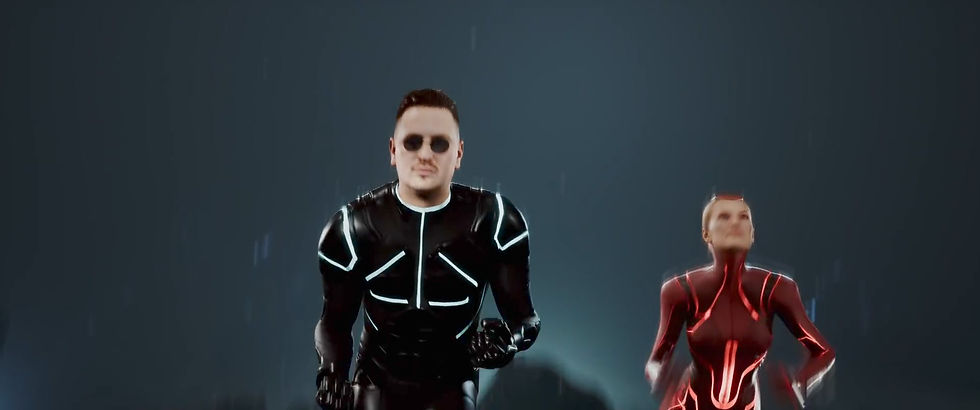
Overprocessing usually announces itself through waxy skin, crunchy pores, bright halos around silhouettes, repeated texture, unstable eyelashes and detail that changes from frame to frame. Film grain may freeze, crawl or disappear completely. Compression blocks can turn into false geometry. These defects are especially visible on faces because viewers are highly sensitive to identity and expression.
The safest strategy is restraint. Remove only enough noise to give the model a stable signal, preserve natural texture, and sharpen after—not before—the main reconstruction. Compare against the original at matched scale so a larger image is not automatically perceived as better. Review on the displays and compression levels the audience will actually encounter, including streaming encodes when relevant.
Temporal consistency deserves its own approval pass. Scrub cuts, watch slow pans and examine fast motion, dissolves, flashes and occlusions. If a model changes facial identity or invents unstable detail, reduce its strength, isolate the region or return to conventional restoration and compositing. The best work often combines AI speed with artist-painted repairs, tracking, roto and carefully reintroduced grain.
5. Choosing 4K, Frame Rate and Delivery Settings

A 4K deliverable does not mean every source should be forced into maximum synthetic detail. Determine the final raster, aspect ratio, frame rate, color space, HDR or SDR requirement and distribution codec before processing. An archival documentary, cinema remaster, museum installation and vertical campaign cut may need different crops, texture levels and compression strategies.
Preserve the source frame rate unless a creative or technical requirement justifies interpolation. Generated in-between frames can smooth motion, but they can also deform hands, faces, fast objects, cuts and flashes. If interpolation is used, validate cadence and audio sync throughout the program. Deinterlacing likewise needs source-aware handling; treating interlaced material as progressive produces combing and lost motion detail.
Keep a high-quality intermediate master with sufficient bit depth and conservative compression. Create platform deliverables from that master rather than chaining one compressed export into another. Archive the untreated source, project settings, processing versions and a restoration report. This makes future remastering possible without repeating assumptions or baking today’s model behavior permanently into the only surviving file.
6. Where AI Upscaling Creates Real Production Value

AI video upscaling is valuable when a production must combine footage created in different eras or formats. Feature films can integrate archival plates into new composites; documentaries can make interviews and news material more consistent; music videos can repurpose older performances; and advertising teams can adapt approved legacy campaigns for modern displays. VFX teams may also enhance low-resolution references, textures or background elements before integration.
Restoration can reduce reshoot pressure, but it should not be sold as magic. The financial decision depends on source condition, screen time, hero importance, rights, required realism and delivery schedule. A short damaged insert may be repaired efficiently, while a long program with unstable color, missing frames and severe compression requires editorial and finishing resources beyond the AI pass.
The biggest value comes from designing the workflow around the story. A technically pristine result that erases period texture may feel wrong; a restrained restoration can preserve the source’s character while improving legibility and continuity. Producers should approve a representative test, define acceptance criteria and budget for final human review rather than buying a black-box upscale by the minute.
7. How to Brief and Choose a Restoration Partner

Start the brief with the source: where it came from, whether better elements may exist, its duration and defects, and any previous processing. Then specify creative intent, historical sensitivity, identity or likeness concerns, final resolution, color pipeline, frame rate, deadlines and all required versions. Share representative difficult shots, not only the cleanest material.
Ask a potential partner to explain its test methodology, model selection, data security, manual intervention and quality-control stages. Confirm whether client material is retained or used to train systems, who can access it and how confidential footage is protected. Request before-and-after moving clips at matched scale, plus examples involving similar faces, motion, texture and damage.
Price should be tied to scope and review. Clarify whether the estimate covers ingest, conform, restoration, upscaling, color, grain, audio, subtitles, revisions, QC and delivery. Establish who approves the look and what happens when a shot cannot meet the agreed standard. A transparent partner identifies limitations early and recommends the least invasive solution that serves the release.
Frequently Asked Questions
What is AI video upscaling?
AI video upscaling uses trained models to estimate a higher-resolution image from lower-resolution frames. It can improve perceived edges and texture, but generated detail must be reviewed for accuracy and stability.
Is AI upscaling better than traditional interpolation?
It can produce more convincing texture and edge detail than simple interpolation, especially on clean sources. Traditional methods may still be safer for graphics, text or material where invention is unacceptable.
Can AI turn any video into true 4K?
It can create a 4K-sized deliverable, but it cannot guarantee authentic detail that was never captured. Source quality, compression, motion and damage determine how much useful improvement is possible.
Can AI restore old film footage?
Yes, when the film has been scanned well. AI may help with noise, flicker, scratches, instability and softness, while color, grain, missing frames and severe damage often need specialist manual work.
Why do AI-upscaled faces sometimes look waxy?
Strong denoising and facial reconstruction can remove natural pores and replace them with smooth synthetic texture. Lower strength, masks, shot-level settings and supervised finishing help preserve identity.
Should frame interpolation be used during restoration?
Only when the delivery or creative goal requires it. Interpolation can smooth movement but may deform fast action, occlusions, hands, faces, cuts and flashes, so the full program needs temporal QC.
What source file gives the best restoration result?
Use the closest available element to the original capture: a negative scan, camera master or high-bitrate mezzanine. Avoid a social download or recompressed edit when better material exists.
How long does professional video restoration take?
Timing depends on duration, source condition, shot variation, manual repair, review rounds and delivery requirements. A representative test is the best basis for a schedule and estimate.
Is confidential footage used to train AI models?
That depends on the provider and contract. Require a written policy covering access, retention, model training, third-party services, deletion and security before sharing unreleased material.
What should I ask for in an AI upscaling test?
Choose difficult shots with faces, motion, texture, shadows, highlights and compression. Request moving before-and-after clips at matched scale, settings documentation and known limitations.
A final approval should include more than a side-by-side still. Watch the restored sequence at normal speed, inspect difficult moments frame by frame and review the actual distribution encode. Confirm that faces remain consistent, text has not changed, grain behaves naturally, audio sync is intact and the result still feels like the source. For historical or documentary material, keep a record of creative reconstruction so future users understand what was repaired and what was inferred.
Plan restored material inside the wider post-production pipeline. Editorial handles, color decisions, VFX pulls, titles, subtitles, HDR trims and platform crops can all affect the best processing order. A restoration approved in isolation may need another pass once composited beside new photography. Early coordination among editorial, color, VFX and finishing prevents duplicated processing and keeps the master technically coherent.
Conclusion
AI video upscaling is most valuable when it respects the source. Begin with the best element, test difficult shots, use restrained settings and review motion—not only still frames. Treat denoising, repair, upscaling, color and grain as connected creative decisions, and preserve both the original and a documented high-quality master.
Need to restore, upscale or integrate challenging footage? Contact Mimic VFX to design a supervised AI restoration and finishing workflow.


Comments